ZeeZ SMP Player Guide
Everything you need to install the modpack, connect to the server, and get plugged into the community.
Get whitelisted
The server is whitelist-only — before anything else, fill out the form so BoomBasticZeeZ can add your Minecraft username. You can start the install steps below while you wait.
Install the modpack
1. Get the Modrinth App
Download and install it from modrinth.com/app. On first launch, sign in with the Microsoft account that owns your Minecraft license.
2. Download the ZeeZ SMP modpack file
↓ ZeeZ SMP 1.0.0.mrpack (~113 MB)
3. Add it as a new instance
In the Modrinth App:
- Click
+ Add Instance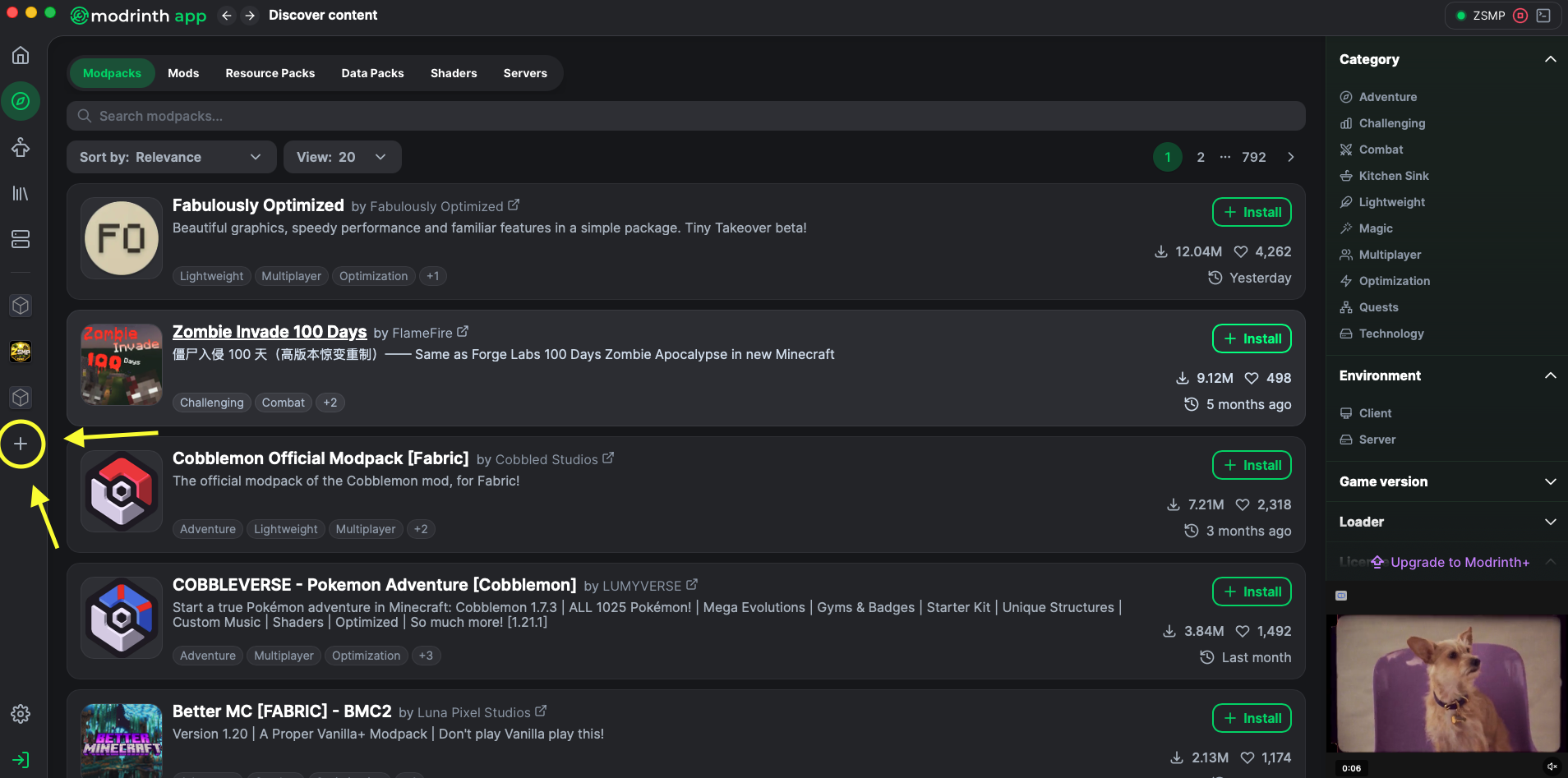
- Choose
Install modpack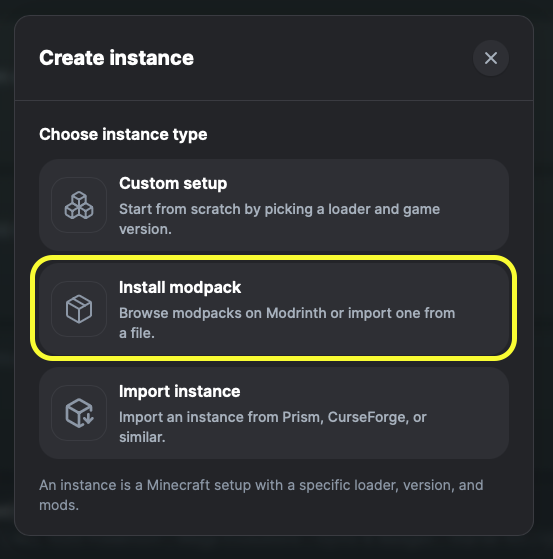
- Click
Import modpack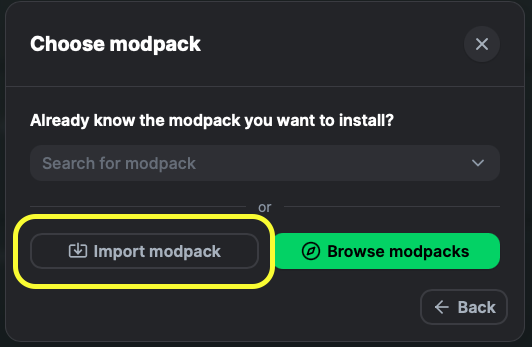
- Pick the
ZeeZ-SMP-1.0.0.mrpackyou just downloaded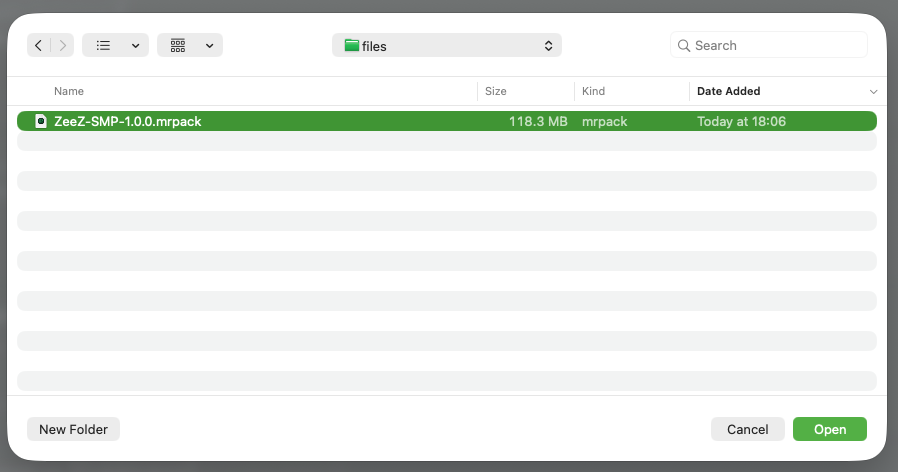
- Click
Install anywayon the "Unknown file" warning. Modrinth shows this for any modpack that wasn't uploaded to their site — our pack is hosted separately, so this is expected.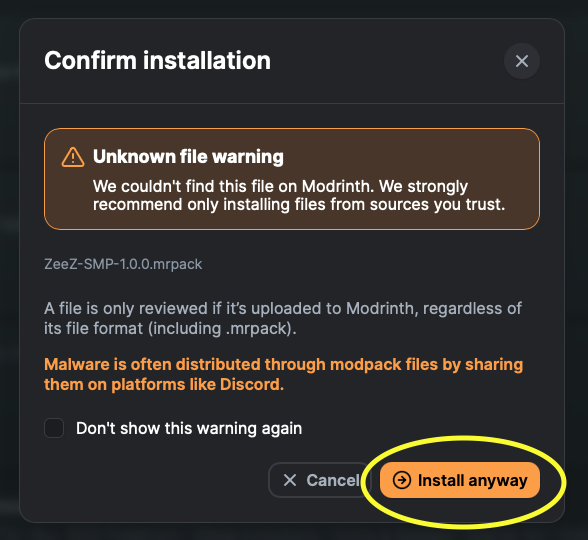
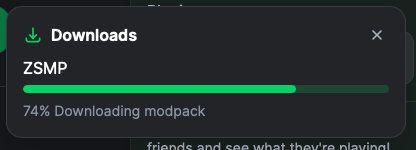
- Wait for the download to finish — ~400 mods, a few minutes on a decent connection.
4. Give it enough memory
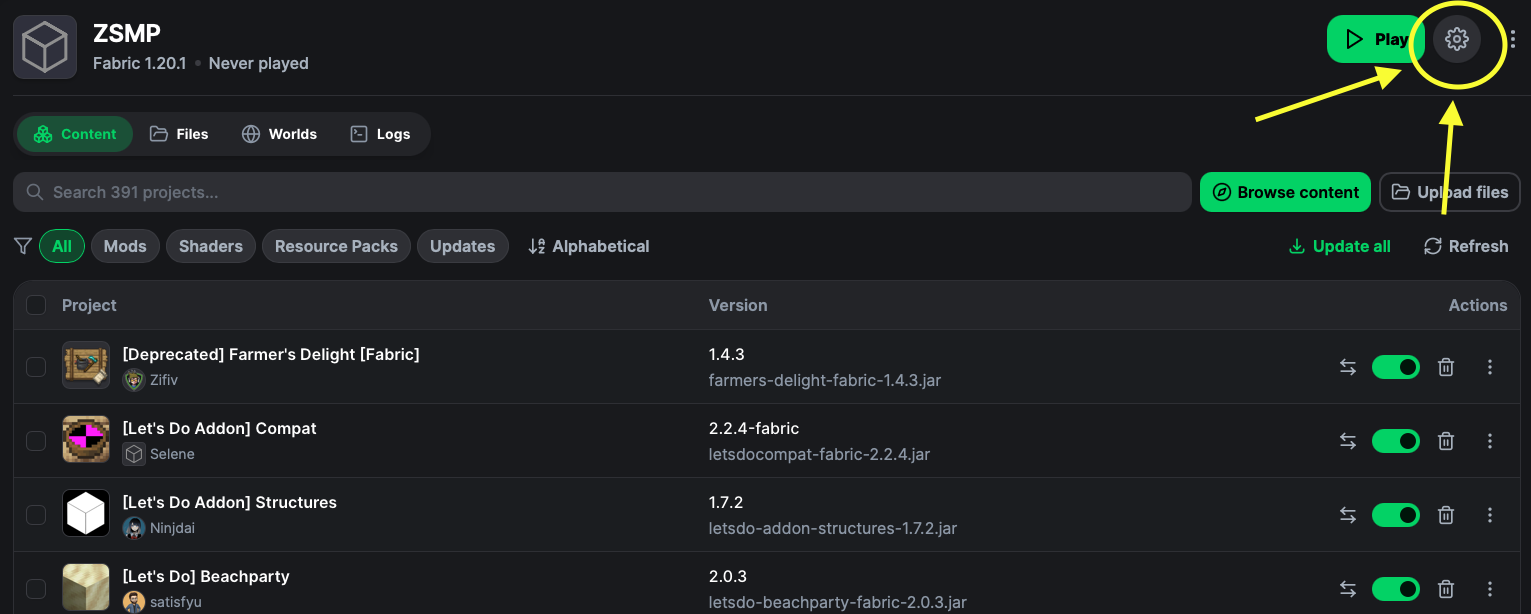
The pack needs at least 5.5 GB of RAM to run smoothly. After install, open the instance, click the settings gear:
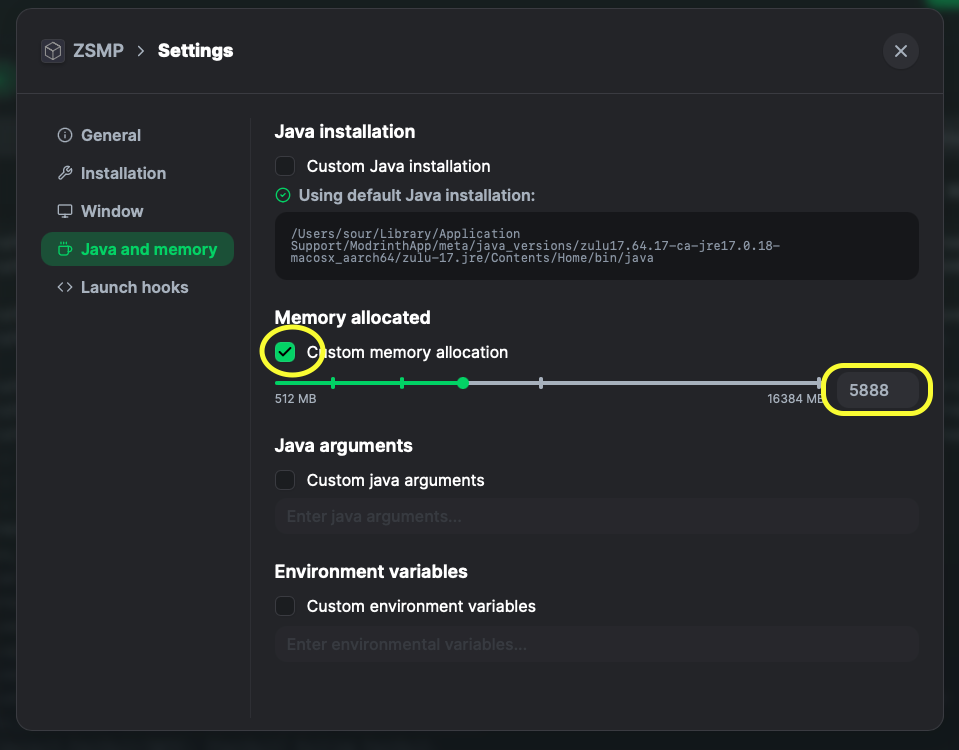
Go to Java and memory → Custom memory allocation → set it to 5888 MB (or higher if you have RAM to spare):
Connect to the server
- Launch the ZeeZ SMP instance and reach the Minecraft main menu
- Click
Multiplayer - The server might already be in your list from the modpack. If it is, select it and click
Join Server. If not, clickAdd Server.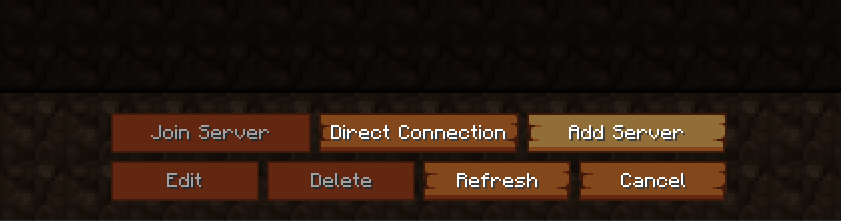
- Set Server Name to anything (e.g.
ZeeZ SMP) and enter the address below asServer Address:junglestray.minecra.fr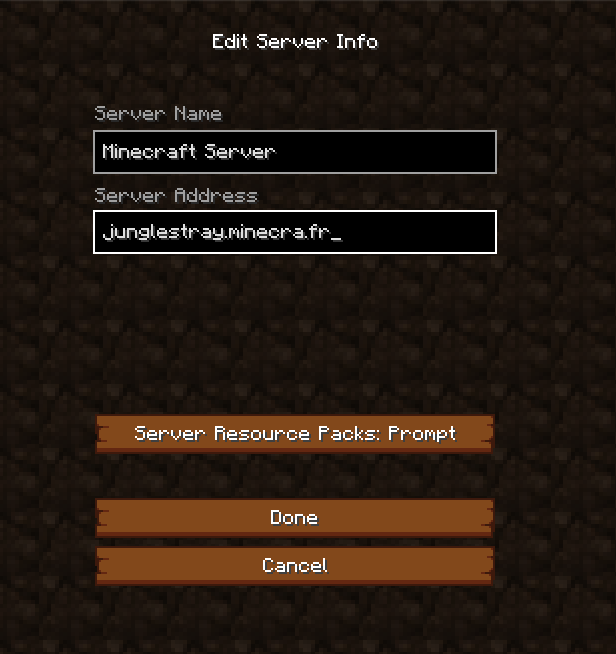
- Click
Done, then double-click the server to join
You are not whitelisted, fill out the whitelist form or ping in #minecraft on Discord.What's in the modpack
384 mods total, grouped roughly into these categories. This isn't a complete list — see mods/ in your instance folder for the full set.
Create & automation
The backbone of the tech side. Kinetic contraptions, factories, trains, drills. Most progression on the server flows through Create.
Examples: Create, Create: Oxidized, Copycats+, Contraption Terminals, Createdeco
Decoration & building
Hundreds of new block variants, slabs, stairs, lights, and furniture. Make your base look like somewhere you'd actually live.
Examples: Chipped, Beautify, Clutter, Decorative Lamps, Construction Wand, Carry On
Food & cooking
Real recipes with real ingredients. Meals give buffs, drinks have effects, farming actually matters.
Examples: Chef's Delight, Crate Delight, AlcoCraftPlus, Comforts, AppleSkin
Adventure & exploration
Expanded structures, biomes, and dimensions. There's reason to leave home.
Examples: Deeper Darker, Advanced Netherite, Accessories, Better Climbing
Quality of life
Tiny things that make the game feel less clunky. You'll only notice them when they're missing.
Examples: Clumps, Better Mount HUD, Chat Heads, Advancement Plaques, Detail Armor Bar, Crafting Pad
Performance
Optimizations so the server can stay smooth at high render distances with hundreds of mods loaded.
Examples: C2ME, Debugify, Chunky, Accelerated Decay
Atmosphere
Weather, ambient sounds, lighting, connected textures. The details that make the world feel alive.
Examples: Ambient Sounds, Cool Rain, Continuity, Connectible Chains, Celestial Configuration
Photography & sharing
Capture and share what you build.
Examples: Camerapture
Discord channels
The community lives in Discord. Here's what each channel is for:
- #minecraft
- The main hub. Drop your Minecraft username here for the whitelist, post screenshots, share builds, plan stuff, general chatter. If it's about the server, it goes here.
- #minecraft-help
- Stuck? Can't connect, mod won't load, recipe missing, crash on launch. Ask here with what you did and any error text — someone will jump in.
#minecraftto get whitelisted. That's the whole onboarding.How you can help
This is a small community server. It runs on what people put in. Here are the ways you can pitch in:
Test the modpack
Play normally. If a recipe is missing, a mod crashes, or a feature feels off, write it up in #minecraft-help. Include what you did and attach the log (Modrinth App → ZeeZ SMP instance → Logs).
Build something the world needs
Public farms, shops, a train station, communal spawn decor, sign-post directories. If it helps other players, it stays.
Suggest mods (carefully)
Drop a Modrinth link in #minecraft with one sentence on why it fits. The pack is curated, not bloated — quality over quantity. Mods that break Create or add grind get rejected.
Help new players
Answer questions in #minecraft-help. Walk someone through Create basics. Lend tools. The vibe is set by people, not configs.
Host events
Build contests, parkour challenges, mob arena nights, scavenger hunts. Pitch the idea in #minecraft and tag BoomBasticZeeZ to set up prizes / loot kits.
Troubleshooting
"Can't connect to server"
Most common cause: your local DNS cached a failed lookup. Try the server address with the port explicitly:
junglestray.minecra.fr
If that still fails, flush your DNS cache:
- macOS:
sudo dscacheutil -flushcache && sudo killall -HUP mDNSResponder - Windows:
ipconfig /flushdns
"You are not whitelisted on this server"
Expected. Post your Minecraft username in #minecraft on Discord.
"Received N registry entries that are unknown to this client"
Your local modpack is out of date — the server has items your client doesn't. Re-download the latest .mrpack and reinstall the instance.
Crashing on launch
Almost always a Java version issue. The pack needs Java 17 or higher. In Modrinth App: Instance → Options → Java & Memory → set Java path to a Java 17 install. Memory: 5.5–8 GB recommended.
Low FPS
Sodium ships with the pack. If FPS is bad, check Iris/shader settings first, then lower render distance to 12 chunks. Pre-generated terrain within 1000 blocks of spawn shouldn't lag — outside that, expect chunk-gen stutters until Chunky catches up.